

Free and functional network diagnostic tool
Axence netTools is a set of ten handy tools for network scanning and monitoring which is popular all over the world. The software is designed both for home and commercial uses. All functionalities of netTools are present in Network module of Axence nVision® software.
NetWatch
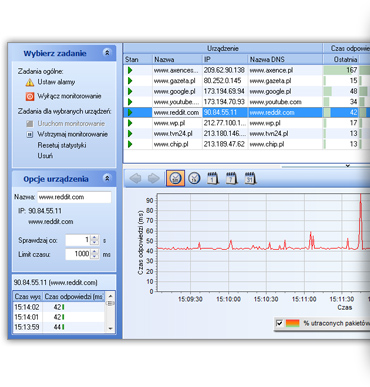
- multiple host availability and response time monitoring
- notifications (via e-mail, message, sound) on host availability issues
- current and historical charts for response times and percentage of lost packets
- data export to XML, HTML, TXT
- monitoring of TCP/IP services – monitoring the response time and lost packets percentage for the following services: HTTP, POP3, SMTP, FTP and 50 others
- monitoring of any TCP port
- DNS-based host identification; automatic address checking every 10 minutes
- host export/import
- support for TLS/SSL protocols in alert e-mails
Network, port and service scanner
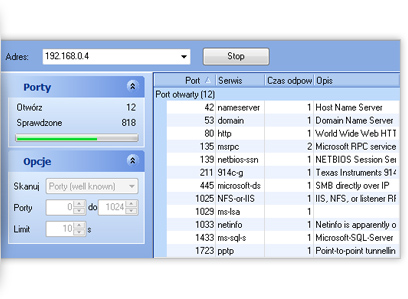
- discovering the machines connected to the given network
- identification of services running on discovered devices
- operating verification of HTTP, POP3, MS SQL, Oracle and 50 other services
- detecting open ports at the determined address
WinTools
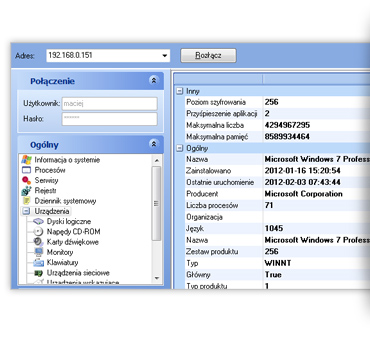
- view of launched processes and services
- remote register editor and Windows event log view
- HDD, RAM and CPU details
- custom queries based on WMI protocol
TCP/IP Workshop and SNMP browser
- view of launched processes and services
- remote register editor and Windows event log view
- HDD, RAM and CPU details
- custom queries based on WMI protocol
Traceroute
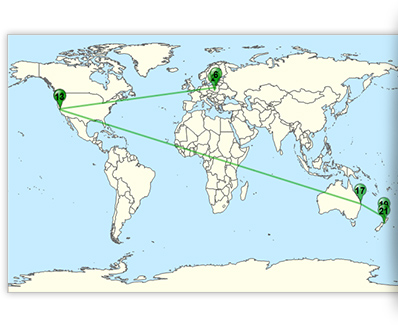
- geographic host map
- information on subsequent hosts along the packets route, response time and lost packets
- information on the geographical location (country) of a remote IP address
- detection of suspicious connections, e.g. to Russia or China
Miscellaneous tools
NetStat
list of inbound and outbound connections and open portsLocal info
tables with local configuration details: TCP/UDP statsLookup
DNS and WHOIS recordsBandwidth
network bandwidth testNetCheck
LAN hardware and wiring quality check


Zgłoś uwagi do strony
Podziel się z nami swoją opinią o stronie axence.net i miej wpływ na jej udoskonalenie